- Home Page /
- Office Products /
- Office Electronics /
- Printers & Accessories /
- Computer Printers /
- Photo Printers /
- Desktop Photo Printers /
- Canon Office Products PIXMA MX892 Wireless Co...
0 ratings







Item #:
2935768
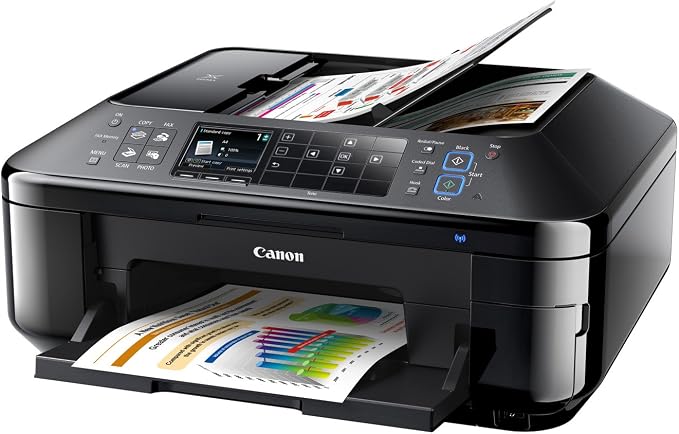
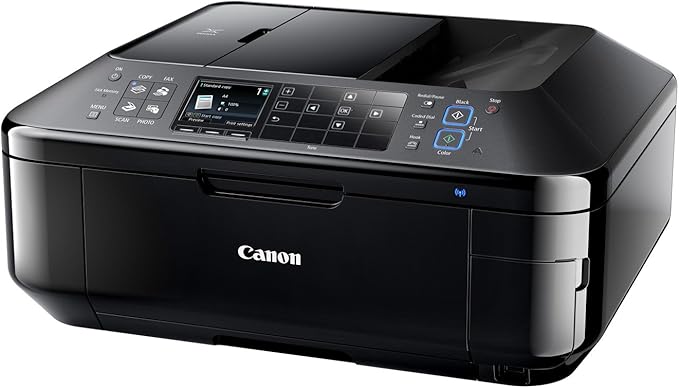
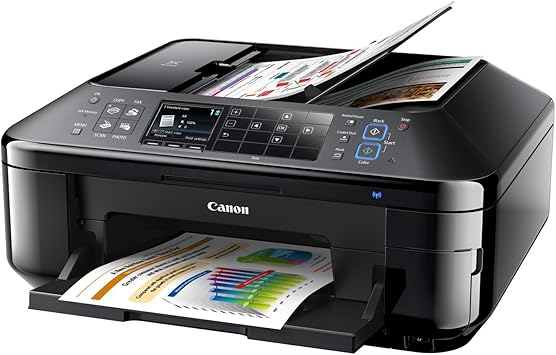
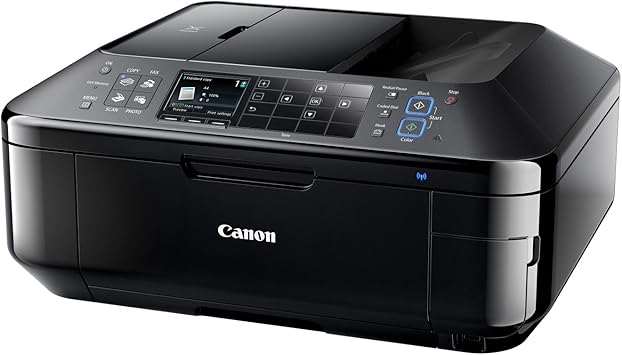
Canon Office Products PIXMA MX892 Wireless Color Photo Printer with Scanner, Copier and Fax
Item #:
2935768
SHP 1106
Price Details
Excluding Shipping & Custom charges ( Shipping and custom charges will be calculated on checkout )
*All items will import from US
0 ratings
Write a review
In stock
 Imported from USA store
QTY:
Only 1 item left in stock.
Order now and get it around Monday, July 13
Secured transaction
Ubuy works hard to protect your security and privacy. Our advanced payment security system ensures confidentiality by encrypting your information during transmission using AES (Advanced Encryption Standards) and SSL (Secure Socket Layer) protocols. Your payment details are 100% secure as we do not share your payment details with third party sellers.
Our Top Logistics Partners


Superior Resolution and Speed for Wireless1 Home Office Printing.

Fast
Shipping

Free
Return*

Secure Packaging

100% Original Products

PCI DSS Compliance

ISO 27001 Certified


Note: Step 1 Voltage Transformer required for using electronics products of US store (110-120). Recommended power converters Buy Now.


What Stands Out
Wireless Connectivity
Easily connect to your home or office network, enabling seamless printing from various devices without the clutter of wires.
All-in-One Functionality
Combines printing, scanning, copying, and faxing in one compact device, saving space and providing versatility for all your office tasks.
High-Quality Prints
Produces vibrant color photos and crisp documents with advanced ink technology, ensuring professional-quality output for both personal and business needs.
Product Details
- Fully-integrated 35-sheet auto duplex document feeder for rapid document copying, scanning and faxing
- PIXMA Cloud Link provides PC-free web-connected printing and mobile printing allows you to print and scan right from your iPhone, iPad or Android device
- Full HD Movie Print turns your favorite HD movie clips captured with your compatible Canon EOS Digital SLR or PowerShot cameras into beautiful prints
- The Dual Function Panel feature provides useful function buttons that transform into a keypad in fax mode for easier operation
| Printer Type | Inkjet |
| Other Special Features of the Product | Auto Document Feeder |
| Printer Output Type | Color |
| Item Weight | 25.7 Pounds (11.66 kg) |
| Controller Type | Android, iOS |
| Print media | Envelopes, Glossy photo paper, Paper (plain) |
| Scanner Type | Photo, Sheetfed |
| Maximum Copy Speed Black and White | 12.5 ppm |
| Compatible Devices | Printer |
| Maximum Copies Per Run | 35 |
| Ink Color | Black |
| Additional Printer Functions | All In One |
| Control Method | App |
| Compatible Cartridge | Canon PIXMA MX892 |
| Number of Trays | 1 |
| Processor Count | 1 |
| Resolution | 9600 x 2400 |
| Display Type | LCD |
| Color | Black |
| Maximum print Resolution Color | 9600 x 2400 dpi |
| Maximum Print Resolution Black and White | 9600 dpi |
| Dual-sided printing | Yes |
| Duplex | Yes |
| Brand | Canon |
| Model Name | MX892 |
| Model Number | MX892 |
| Built-In Media | Printer |
| Model Series | MX |
| Specific Uses For Product | personal |
| UPC | 013803143096 013803143072 |
| Global Trade Identification Number | 00013803143072, 00013803143096 |
| Manufacturer | Canon USA Inc. |
| Unit Count | 1.0 Count |
| Color Pages per Minute | 9.3 ppm |
| B&W Pages per Minute | 12 ppm |
| Maximum Media Size | 8.5 x 14 inch (21.6 cm) |
| Maximum Sheet Capacity | 150 |
| Paper Size | 4 inch x 6 Inches, 8.5 inch x 11 Inches (10.2 x 174 x 27.9 cm) |
| Printer Connectivity Type | Wi-Fi |
| Hardware Interface | Ethernet |
| Maximum Copy Resolution Color | 9600 x 2400 |
| Maximum Copy Resolution Black and White | 9600 dpi |
| Connectivity Technology | Wi-Fi |
| Printing Technology | Inkjet |
| Special Feature | Auto Document Feeder |
| Printer Output | Color |
| Maximum Print Speed (Color) | 9.3 ppm |
| Max Printspeed Monochrome | 12 ppm |
What's in the box
Printer
Who Should Buy?

-
Home Office Users
Ideal for users needing versatile printing, scanning, and faxing capabilities in a compact space.
-
Photography Enthusiasts
Great for printing vibrant color photos with excellent quality for personal albums or sharing.
-
Small Business Owners
Beneficial for budget-conscious businesses requiring multifunction capabilities without compromising quality.

-
Heavy Volume Users
Not suitable for those printing high volumes consistently due to slower speeds and potential for overheating.
-
High-End Photographers
Professional photographers may need higher-end printers with superior color accuracy and quality for gallery prints.
-
Mobile Professionals
Not ideal for users requiring portable printing solutions; it lacks significant portability features and compactness.
Product Description
Have any Query? Chat with us
Customer Questions & Answers
-
Question:
What are the main features of the Canon PIXMA MX892?
Answer: The Canon PIXMA MX892 is a multifunction printer that offers wireless printing, scanning, copying, and fax capabilities. This model supports high-resolution color printing, allowing for vivid photo output, and features an automatic document feeder for efficient scanning and copying of multiple pages. Additionally, its wireless connectivity enables users to print directly from their smartphones or tablets using various mobile apps, making it versatile for both home and office use. -
Question:
How do I connect the Canon PIXMA MX892 to my Wi-Fi network?
Answer: To connect the Canon PIXMA MX892 to your Wi-Fi network, access the printer's Home menu on its control panel, navigate to the 'Network' settings, and select 'Wireless LAN Setup'. Follow the prompts to choose your wireless network and enter the password. This allows for seamless printing from connected devices, ideal for multiple users in a home or office setting. -
Question:
What types of paper can I use with the Canon PIXMA MX892?
Answer: The Canon PIXMA MX892 is compatible with various paper types, including plain paper, photo paper, and specialty media like envelopes and labels. For optimal results, using Canon's recommended papers will enhance color vibrancy and image quality, particularly for photos. This flexibility makes it suitable for a range of projects, from office documents to creative photo prints. -
Question:
Can the Canon PIXMA MX892 print from mobile devices?
Answer: Yes, the Canon PIXMA MX892 supports mobile printing through several platforms, such as Apple AirPrint, Google Cloud Print, and the Canon PRINT app. This feature allows you to easily print from smartphones and tablets without needing to transfer files to your computer. It's particularly convenient for on-the-go printing needs, like printing photos directly from your gallery. -
Question:
What is the maximum print resolution of the PIXMA MX892?
Answer: The Canon PIXMA MX892 can achieve a maximum print resolution of 4800 x 1200 dpi, which translates to stunningly detailed images and sharp text. This resolution is ideal for photo reproduction, ensuring that your prints display rich colors and subtle details. Whether you're printing professional-quality photos or everyday documents, this printer delivers impressive results. -
Question:
Does the Canon PIXMA MX892 support duplex printing?
Answer: Yes, the Canon PIXMA MX892 supports automatic duplex printing, allowing you to print on both sides of the page without manual intervention. This feature not only saves paper but also provides a professional touch to documents, making it useful for creating booklets or reports. It's an environmentally friendly option for users looking to reduce waste. -
Question:
What are the scanning capabilities of the PIXMA MX892?
Answer: The PIXMA MX892 features a high-quality flatbed scanner with an optical resolution of 2400 x 4800 dpi, making it perfect for scanning documents and photos with precision. It includes an automatic document feeder for quick scanning of multiple pages. This makes it an effective tool for digitizing important documents and preserving family photos while ensuring clarity and detail. -
Question:
How can I resolve common printing issues with the Canon PIXMA MX892?
Answer: Common printing issues with the PIXMA MX892, such as paper jams or poor print quality, can typically be resolved by checking the paper type and size settings, ensuring that ink cartridges are correctly installed and have sufficient ink, and running the printer's built-in maintenance routines. Regularly cleaning the print heads can also enhance performance, ensuring your prints maintain high quality. -
Question:
What types of ink cartridges does the PIXMA MX892 use?
Answer: The Canon PIXMA MX892 utilizes individual ink cartridges, specifically the Canon CLI-226 (color) and PGI-225 (black) series. This individual cartridge system allows for replacing only the color that runs out, reducing waste and potentially lowering printing costs. By using genuine Canon cartridges, you ensure optimal performance and print quality, especially for photo projects. -
Question:
Where can I buy the Canon Office Products PIXMA MX892 Wireless Color Photo Printer in Saint Helena?
Answer: You can buy the Canon Office Products PIXMA MX892 Wireless Color Photo Printer at Ubuy in Saint Helena. Ubuy offers a seamless shopping experience with options for various payment methods and reliable customer service. Whether you're looking for home or office usage, Ubuy provides a convenient platform to purchase this versatile printer.
Canon Desktop Photo Printers MX892 Editorial Review


The Canon PIXMA MX892 printer offers wireless color printing, scanning, copying, and faxing capabilities. It can be connected wirelessly or via USB to a PC or Macbook. The printer has two black ink cartridges, a pigment-based one for lower resolution text prints and a dye-based one for higher quality documents. While the printer has received positive reviews for its print quality and features, some users have reported issues such as error messages, printer failures, and high ink consumption. Overall, the Canon PIXMA MX892 offers good functionality but may have reliability and ink efficiency concerns.
Customer Reviews & Ratings
1127 customers ratings
-
5 Star
39%
-
4 Star
15%
-
3 Star
11%
-
2 Star
10%
-
1 Star
25%
Review this product
Share your thoughts with other customers
Pros
- Wireless color printing, scanning, copying, and faxing capabilities.
- Can be connected wirelessly or via USB to a PC or Macbook.
- Two black ink cartridges for different printing needs.
Cons
- Reports of error messages and printer failures.
Product Price History
Important information
- Limitations : For products shipped internationally, please note that any manufacturer warranty may not be valid; manufacturer service options may not be available; product manuals, instructions, and safety warnings may not be in destination country languages; the products (and accompanying materials) may not be designed in accordance with destination country standards, specifications, and labeling requirements; and the products may not conform to destination country voltage and other electrical standards (requiring use of an adapter or converter if appropriate). The recipient is responsible for assuring that the product can be lawfully imported to the destination country. When ordering from Ubuy or its affiliates, the recipient is the importer of record and must comply with all laws and regulations of the destination country.
- Not all the products listed on Ubuy are for sale, as Ubuy is a global search engine. Products are subject to export/trade regulations.
SHP 1106
Order now and get it around Monday, July 13
This item is not restrict in my country.(Please click on above link if this item is not restrict in your country, So our team will review and allow.)
QTY:
Only 1 item left in stock.
Secured transaction
Ubuy works hard to protect your security and privacy. Our advanced payment security system ensures confidentiality by encrypting your information during transmission using AES (Advanced Encryption Standards) and SSL (Secure Socket Layer) protocols. Your payment details are 100% secure as we do not share your payment details with third party sellers.
Our Top Logistics Partners
Fastest cross-border delivery
Features & Benefits
- Superior resolution and speed for wireless home office printing
- Built-in Wi-Fi and AirPrint for convenient wireless printing
- Cloud printing capabilities and Duplex Auto Document Feeder for multi-tasking
- Prints beautiful, borderless photo lab quality photos
- Award-winning service and reliability
- Full HD Movie Print for printing HD movie clips