- Home Page /
- Office Products /
- Office Electronics /
- Printers & Accessories /
- Computer Printer Parts & Accessories /
- Computer Printer Ink & Toner /
- Inkjet Ink Cartridges /
- 2pcs Waste Ink Pad Replacement Compatible for...
0 ratings





Item #:
258595257
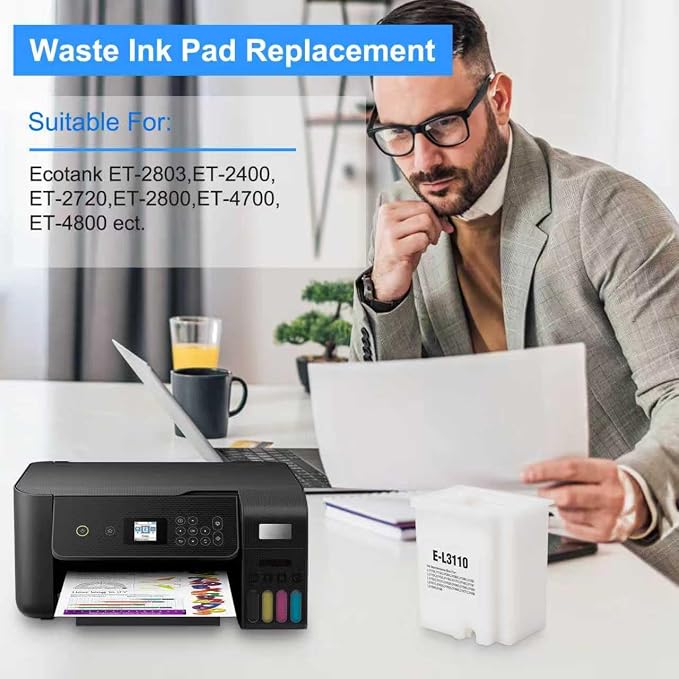
2pcs Waste Ink Pad Replacement Compatible for Epson ET-2800 ET-2803 ET-2400 ET-2720 ET-4700 ET-2711 ET-4800 L3110 L3250 L3150 L3210 etc. Printers,
Item #:
258595257
SHP 26
Price Details
Excluding Shipping & Custom charges ( Shipping and custom charges will be calculated on checkout )
*All items will import from US
In stock
 Imported from USA store
QTY:
Order now and get it around Thursday, October 08
Secured transaction
Ubuy works hard to protect your security and privacy. Our advanced payment security system ensures confidentiality by encrypting your information during transmission using AES (Advanced Encryption Standards) and SSL (Secure Socket Layer) protocols. Your payment details are 100% secure as we do not share your payment details with third party sellers.
Our Top Logistics Partners


High quality cotton for better absorption, prevents any printing head clogged and reduces damage to the printer head.

Fast
Shipping

Free
Return*

Secure Packaging

100% Original Products

PCI DSS Compliance

ISO 27001 Certified



Note: Step 1 Voltage Transformer required for using electronics products of US store (110-120). Recommended power converters Buy Now.


Product Details
| Ink Colour | multicolor |
| Page Yield | 5000 |
| Compatible Devices | EPSON Ecotank ET-2720 ET-2803 ET-2800 ET-2400 ET-2711 ET-4700 L3110 L3210 L3150 L3250 etc. |
| Other Special Features of the Product | Refillable |
| Compatibility Options | Compatible |
| Color | white |
| Cartridge Type | Compatible |
| Printer Model Compatibility | Epson ET(EcoTank) ET-2400, Epson ET(EcoTank) ET-2711, Epson ET(EcoTank) ET-2720, Epson ET(EcoTank) ET-2800, Epson ET(EcoTank) ET-2803, Epson ET(EcoTank) ET-4700, Epson ET(EcoTank) ET-4800 |
| Ink Base | Pigment |
| Item Dimensions D x W x H | 1.9"D x 2.36"W x 3"H (4.8 x 6 x 7.6 cm) |
| Print media | Paper (plain) |
| Printer Output Type | multiple colors |
| Printer Type | Inkjet |
| Model Name | Waste Ink Pad Replacement Maintenance Box |
| Brand | imtfzct |
| Manufacturer | imtfzct |
| Number of Items | 2 |
| Unit Count | 2 Count |
| UPC | 750961855460 |
| Built-In Media | 2 pcs Waste Ink Pad Replacement, 1 instruction sheet, 1 screwdriver, 1 pair of disposable gloves, 2 transparent resealable poly bags |
| Model Number | L3110-02 |
| Model Series | Ecotank |
| Mfr Part Number | L3110-02 |
| Specific Uses For Product | Printer maintenance and error resolution in home or small office environments |
| Ink Color | multicolor |
| Special Feature | Refillable |
What's in the box
2 pcs Waste Ink Pad Replacement, 1 instruction sheet, 1 screwdriver, 1 pair of disposable gloves, 2 transparent resealable poly bags
Product Description
Have any Query? Chat with us
Customer Questions & Answers
-
Question:
What is included in the 4pcs Waste Ink Pad Replacement kit?
Answer: The 4pcs Waste Ink Pad Replacement kit typically includes four high-quality waste ink pads designed specifically for various Epson Ecotank models, along with accompanying zeroing software. This software is crucial for resetting the waste ink pad counter, ensuring optimal printer performance. Users can easily swap out old pads to prevent ink overflow and maintain printer efficiency, which is especially beneficial for high-volume printing environments. -
Question:
How do I install the waste ink pads?
Answer: To install the waste ink pads, begin by turning off your printer and unplugging it to ensure safety. Open the printer cover and carefully remove the old waste ink pads. Clean the area before placing the new pads in their designated slots, ensuring a snug fit. After installation, use the zeroing software to reset the waste ink pad counter on your printer. Following these steps will help maintain your printer’s functionality and extend its lifespan. -
Question:
Is the zeroing software user-friendly?
Answer: Yes, the zeroing software included in the kit is designed to be user-friendly, featuring a straightforward interface that guides you through the reset process with clear instructions. Most users find it easy to navigate, making it suitable even for those with limited technical knowledge. By following the prompts, you can reset your printer’s waste ink pad counter effectively and ensure that it continues to operate efficiently. -
Question:
Can I use these waste ink pads for any printer model?
Answer: The waste ink pads included in this kit are specifically designed for select Epson Ecotank models, including the ET-2800, ET-2803, ET-2400, and others. It's essential to check compatibility before purchasing to avoid any issues. Using the correct pads ensures optimal performance and prevents potential damage that might occur if non-compatible pads are used. -
Question:
How often should I replace the waste ink pads?
Answer: The replacement of waste ink pads typically depends on your printing frequency. Users who print frequently may need to replace the pads more often than those who print sporadically. A common recommendation is to check the waste ink pads every few months or follow your printer’s prompts that indicate when maintenance is required. Frequent checks can help avoid ink overflow and maintain printing quality. -
Question:
What happens if I do not replace the waste ink pads?
Answer: Failing to replace the waste ink pads can lead to ink overflow, resulting in messy and potentially damaging leaks inside your printer. It can also trigger error messages, leading to interruptions in your printing tasks. Regularly replacing the pads not only prevents these issues but also ensures that your printer operates at its optimal performance, keeping print quality high and reducing maintenance problems. -
Question:
Is the software compatible with all operating systems?
Answer: The zeroing software provided in the kit is compatible with most modern operating systems, including Windows and macOS. However, it’s essential to verify the specific system requirements indicated by the manufacturer. This compatibility ensures that users can easily perform necessary resets regardless of their computer’s operating system, facilitating a smoother maintenance process for their printers. -
Question:
How can I tell if it's time to replace my waste ink pads?
Answer: You will typically receive an alert from your printer indicating that the waste ink pads need attention. Signs may include the printer displaying an error message or a reduction in print quality. Additionally, if you notice ink staining around the printer, it may indicate that the pads are saturated. Monitoring these indicators will help ensure you replace them in a timely manner, preserving the functionality of your printer. -
Question:
Where can I buy the 4pcs Waste Ink Pad Replacement with Zeroing Software in Saint Helena?
Answer: You can purchase the 4pcs Waste Ink Pad Replacement with Zeroing Software from Ubuy in Saint Helena. Ubuy provides a reliable platform for sourcing quality printer accessories, ensuring you get the right products conveniently. Their user-friendly interface makes it easy to navigate and find the inks and pads you need for your specific printer model.
imtfzct Inkjet Ink Cartridges L3110-02 Editorial Review
No editorial reviews found
Customer Reviews & Ratings
126 customers ratings
-
5 Star
79%
-
4 Star
5%
-
3 Star
4%
-
2 Star
5%
-
1 Star
7%
Review this product
Share your thoughts with other customers
Platform Trust & Buyer Confidence

JK
Jasmin
Verified buyer
“Great products and very good service: very easy and very fast international delivery.”
9 September 2026 · via Trustpilot
AG
Anke
Verified buyer
“Wonderful online shopping experience, smooth transaction from the start. Payment method works conveniently and delivery is unexpectedly fast and reliable. You go the extra mile for service. What makes this even more amazing, you deliver to Namibia. I will remain a happy Ubuy customer and will increase my purchases for sure! Thank you!”
10 September 2026 · via Trustpilot
H
Hazel
Verified buyer
“Very easy to find the products what you need, and so fast delivery, that’s why I highly recommended to others costumers to used ubuy.”
10 September 2026 · via Trustpilot
O
Opaleye
Verified buyer
“I received exactly what I ordered I was skeptical about your site because that was my first time to order. But the order came timely and neatly packaged. I was not disappointed. Thank you.”
11 September 2026 · via Trustpilot
AC
Adele
Verified buyer
“Easy to find and order what you want on the website. Delivery is quick to the UK”
8 September 2026 · via Trustpilot
Secure Checkout
Global Delivery
Easy Returns
Genuine Products
Product Price History
Important information
- Limitations : For products shipped internationally, please note that any manufacturer warranty may not be valid; manufacturer service options may not be available; product manuals, instructions, and safety warnings may not be in destination country languages; the products (and accompanying materials) may not be designed in accordance with destination country standards, specifications, and labeling requirements; and the products may not conform to destination country voltage and other electrical standards (requiring use of an adapter or converter if appropriate). The recipient is responsible for assuring that the product can be lawfully imported to the destination country. When ordering from Ubuy or its affiliates, the recipient is the importer of record and must comply with all laws and regulations of the destination country.
- Not all the products listed on Ubuy are for sale, as Ubuy is a global search engine. Products are subject to export/trade regulations.
SHP 26
Order now and get it around Thursday, October 08
This item is not restrict in my country.(Please click on above link if this item is not restrict in your country, So our team will review and allow.)
QTY:
Secured transaction
PCI DSS compliant and ISO 27001:2022 certified, with encrypted payments and full buyer protection on every order.
Our Top Logistics Partners
Fastest cross-border delivery
Features & Benefits
- Compatible with multiple Epson Ecotank printer models.
- High-quality cotton ensures effective waste ink absorption.
- Solves printer error code 'The Ink Pad Needs Service Contact Epson'.
- Comes with reset software for systems up to Windows 10.
- Includes necessary tools like gloves and screwdriver for easy installation.
- Prevents printing head clogs, reducing potential damage.
Ubuy Assurance
Experience worry-free shopping with 100% original products, PCI DSS-compliant payment security, ISO 27001-certified data protection, the fastest cross-border delivery, free returns *, and secure packaging on every order.